8.1 Correspondence between roles and support functions in Ops I
The Pre-Installed and Primitive roles are predefined in Ops I. Basically, users are assigned Pre-Installed roles directly and Primitive roles indirectly, but Primitive roles can also be assigned to user directly.
(Table) Outline of each role type
| Role | Outline |
|---|---|
| Pre-Installed roles | Predefined roles for common use cases. These roles are defined with a combination of Primitive roles. Basically, assign Pre-Installed roles to users. |
| Primitive roles | Granular roles for individual operational permissions. These roles are predefined. |
| Custom roles | Roles created or customized by users by combining Pre-Installed roles, Primitive roles, and custom ACLs for permission control that cannot be achieved with Pre-Installed roles. |
For the combinations of Pre-Installed and Primitive roles, see “(Table) Relationship between Pre-Installed and Primitive roles”. For the relationship between Primitive roles and supported functions, see “(Table) Relationship between Primitive roles and supported functions”. For ACLs, see “Users and ACL”.
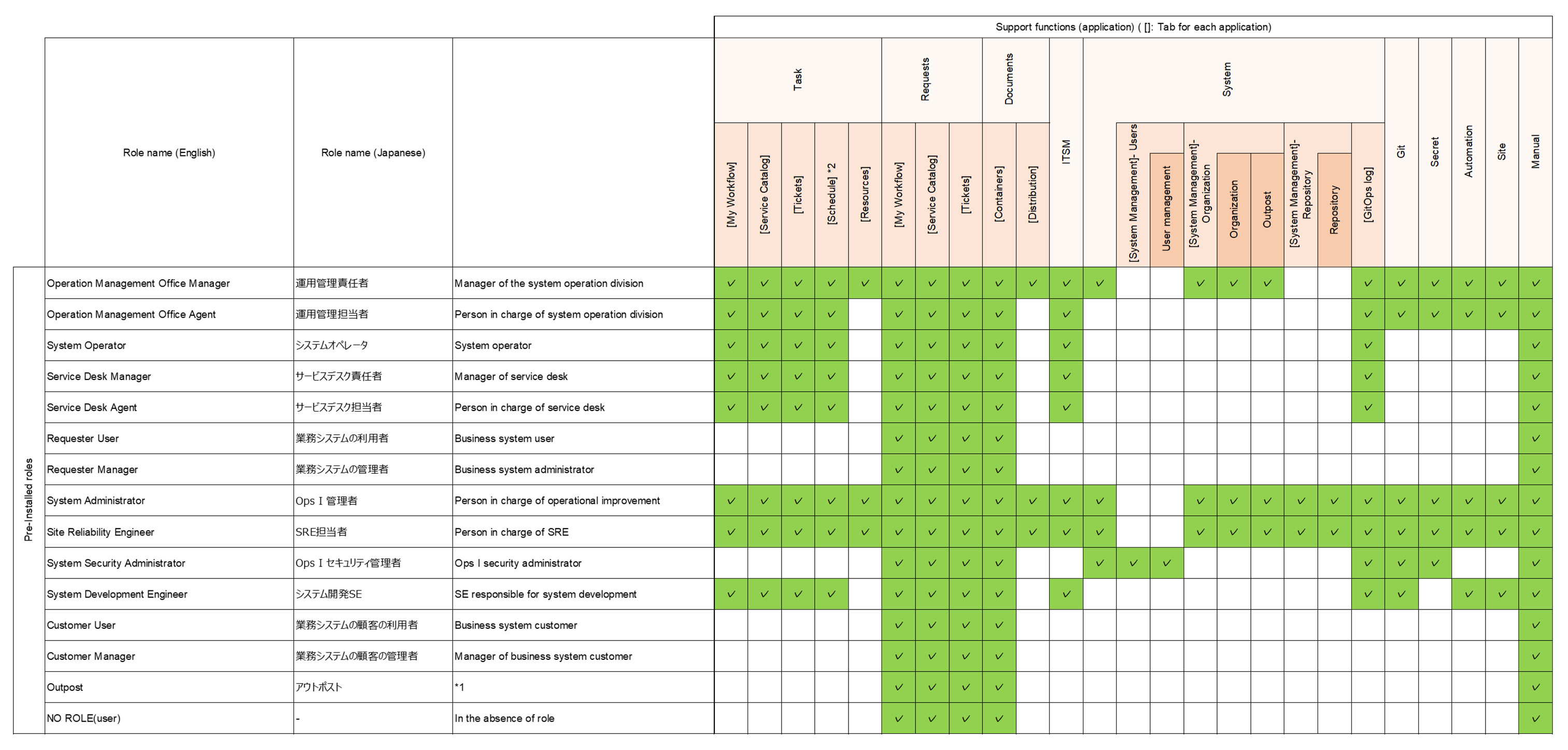
The relationship between Pre-Installed roles and supported functions is as follows.
Each Pre-Installed role has access to the supported functions marked with ✓ in the table.
(Table) Relationship between Pre-Installed roles and supported functions
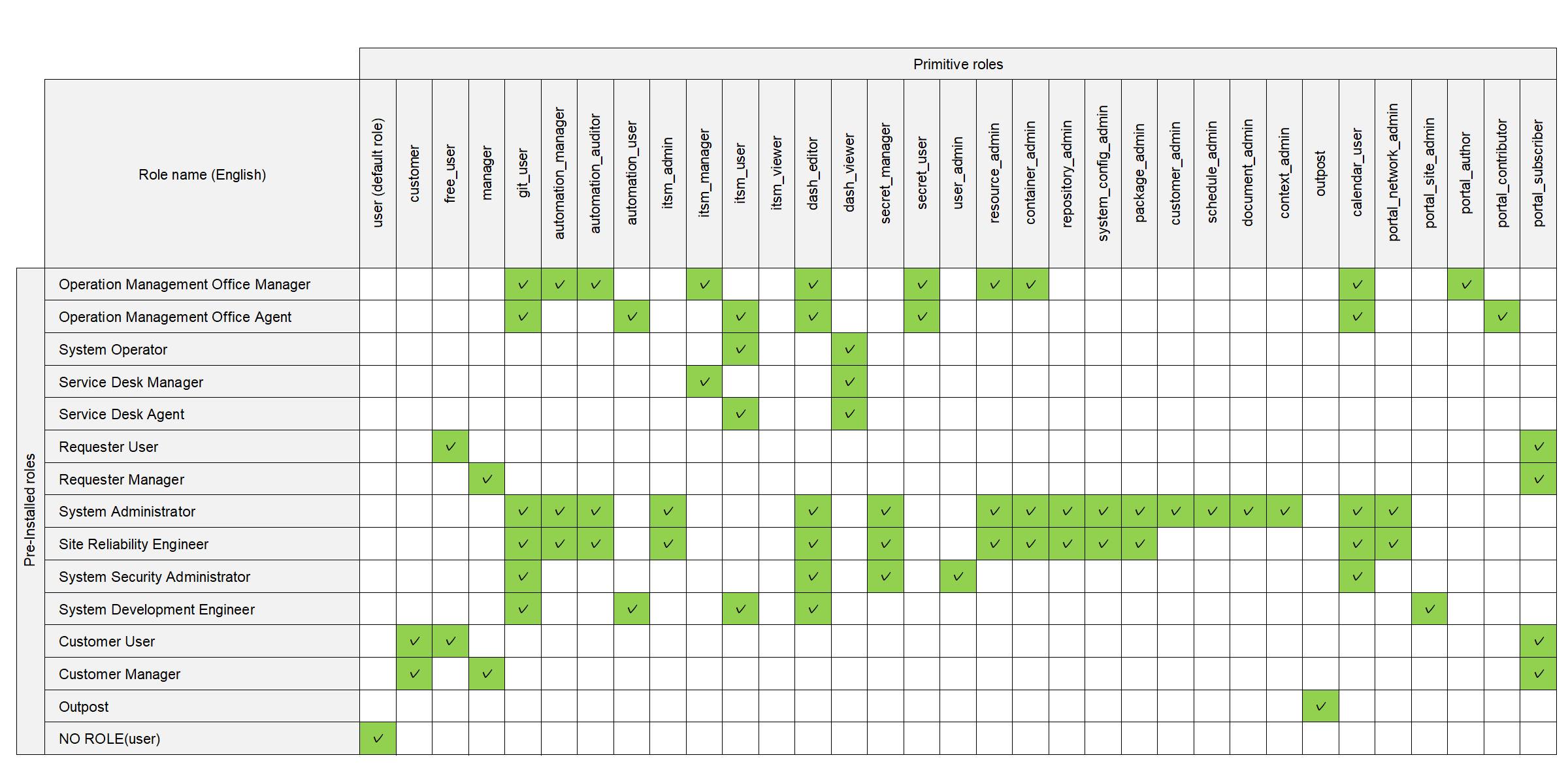
The relationship between the Pre-Installed roles and assigned Primitive roles is as follows.
Each Pre-Installed role is assigned the Primitive roles marked with ✓ in the table.
(Table) Relationship between Pre-Installed and Primitive roles
The following Primitive roles are provided for special purposes. Understand the features to use them appropriately.
(Table) Special Primitive roles
| Primitive roles | Features |
|---|---|
| user | Default Ops I role. Invisible and implicitly assigned to users. |
| customer | Role for customer segregation. Can be used to restrict operation to only those records relevant to customers to whom the user belongs. For details, see "User management". |
| free_user | Role for non-billing users. Users assigned this role become non-billing users with limited permissions. For the functions permitted for users with this role assigned, see "(Table) Supported functions for free_user (non-billing user role)". For the relationship between Primitive roles and supported functions, see the description of priorities in "(Table) Relationship between Primitive roles and supported functions". |
(Table) Supported functions for free_user (non-billing user role)
| Supported functions | Description | |
|---|---|---|
| Requests | Service catalogs | Creating workflows. |
| Workflows | Editing workflows created by themselves. | |
| Viewing workflows created by other users belonging to the same customer group. | ||
| Tickets | Viewing their own and their customers' tickets. Adding and viewing work notes for their own and their customers' tickets. For details, see "Ticket management basics". |
|
| Executing workflows. | ||
| Documents | Containers | Operating files in containers. |
| Manuals | Viewing Ops I manuals. | |
The relationship between Primitive roles and supported functions is as follows.
(Table) Relationship between Primitive roles and supported functions
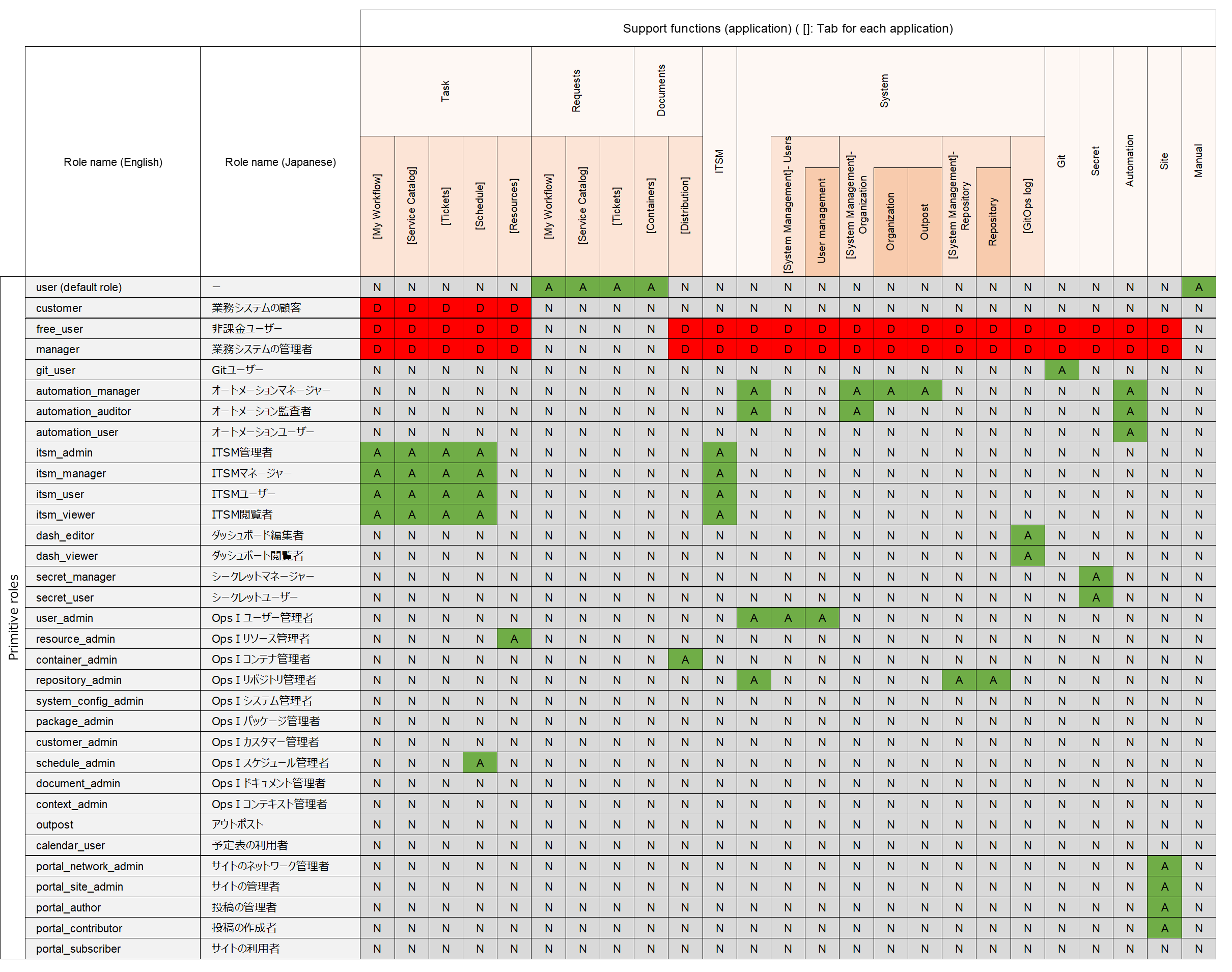

When multiple Primitive roles are assigned to a single Pre-Installed role, access to each function is granted or denied in the following order of priority: explicitly prohibited > explicitly permitted > implicitly prohibited.
(Figure) Priority of access rights

For example, if the Pre-Installed role “A” is assigned the Primitive roles “user”, “X”, “customer”, and “free_user”, the access rights for “A” are as follows. (The Primitive role “X” is a temporary role name to explain the priority.)
(Figure) Example of priority order of access rights
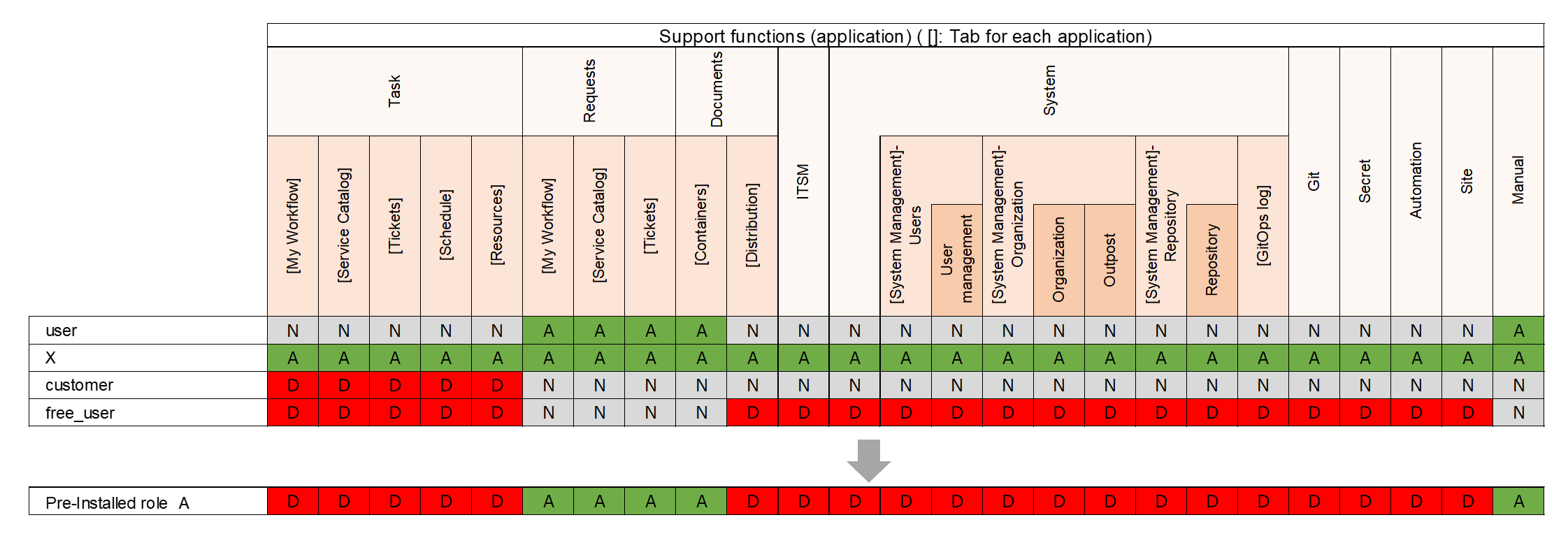
A free_user assigned to a Pre-Installed role overrides the permissions of the other assigned Primitive roles. In this example, the user loses all access right except to the request application, the document application container tab, and manual application.