4.3.6 Skill management
Ops I has a skill management function that allows you to assign the right users to tasks.
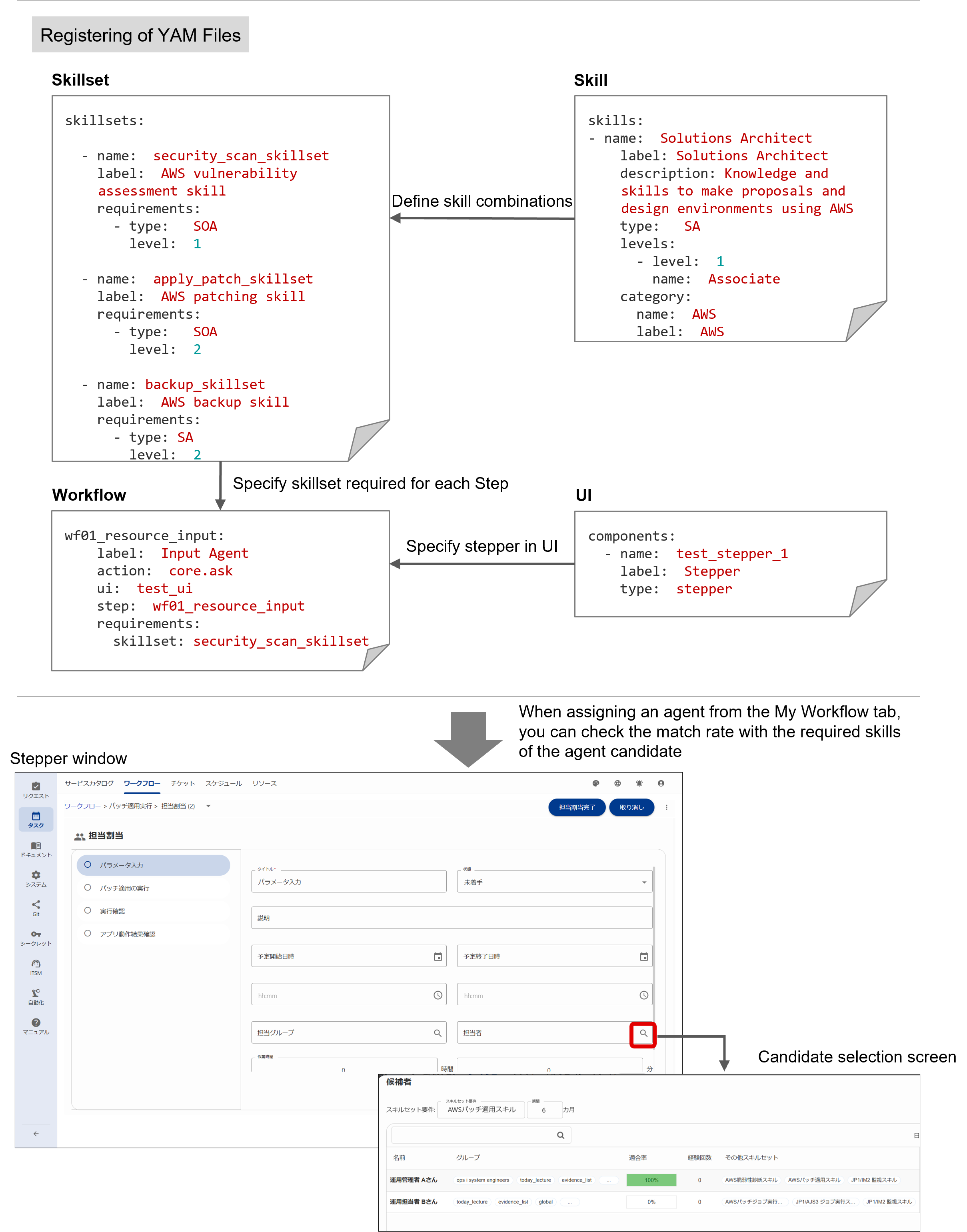
The skill management function can be used to define the skills required for operations in YAML files and assign the defined skills to users in the Ops I GUI. In addition, skill sets (combinations of skills) can be defined in YAML files for each activity in the workflow, allowing appropriate users to be assigned to each activity. For more information on defining these YAML files and assigning skills, see below.
- Setting YAML files: “Workflow”, “Skill, Skillset”.
- Assigning skills to users: “Resources”
- Assigning users to each activity: “Workflow”
Further, it is necessary to first organize the skills required for operations in order to define the skills and skillsets. For details, see “Skills required for operation”.
(Table) Skill management items and outline
| Item | Definition method | Key design points |
|---|---|---|
| Skill, Skillset | YAML file | The skills and skill sets required for the operation can be set. |
| Workflow | YAML file | The skill sets required for each activity can be specified. |
| Applying skills to users | GUI | Skills can be applied to users from the Resources tab. Depending on the skills applied, the skill set is also automatically applied. |
| Assigning users to each activity | GUI | Users can be assigned based on the skillset sufficiency, experiences, and schedule. |
(Figure) Skill management flow
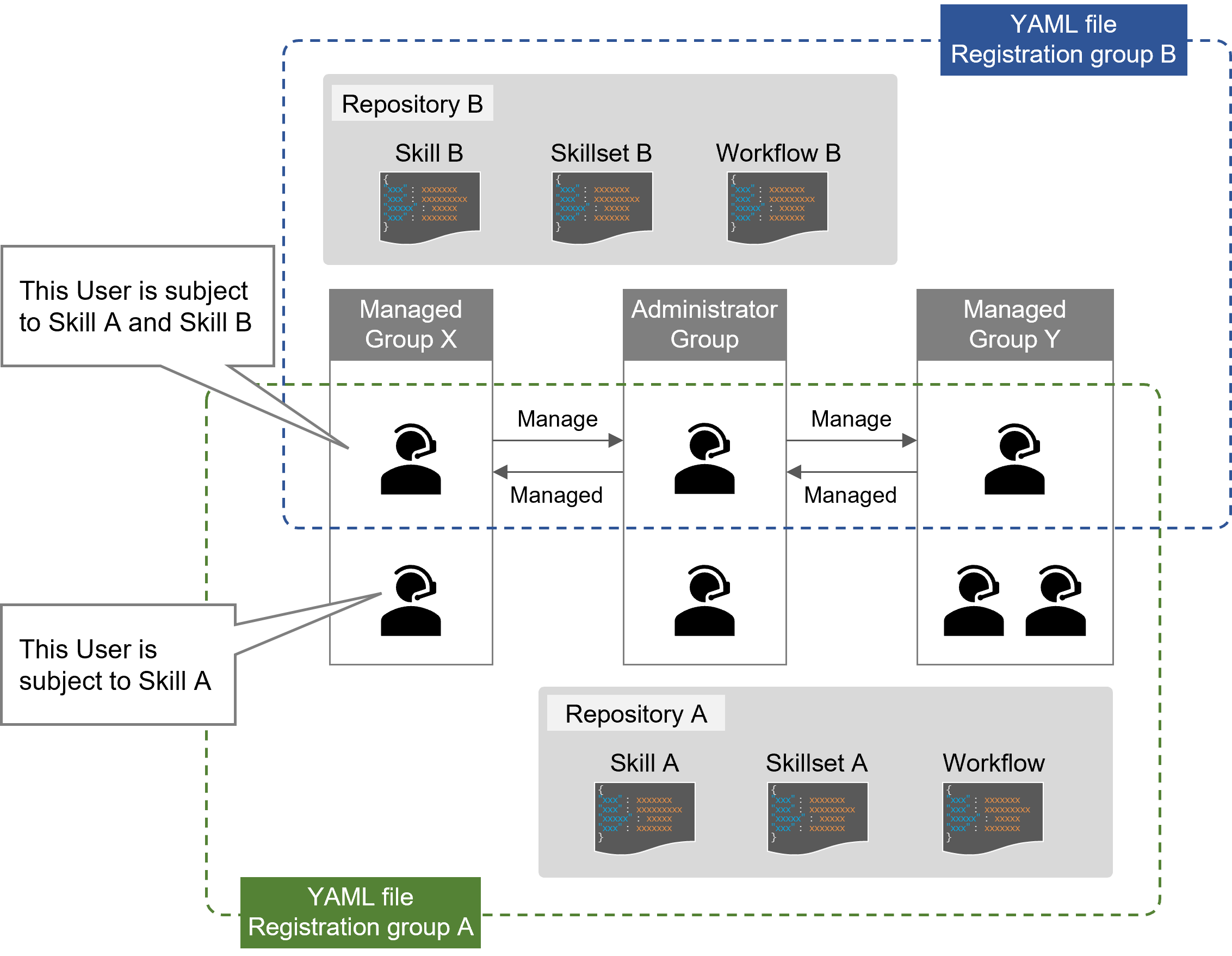
Setting up skills requires setting up relationships on a group-by-group basis. The management relationship settings between groups can be made from the group settings on the system administrative window. In addition, both the administrator and the managed must belong to the group in the repository where the YAML file is registered in order to configure the skill settings. Multiple YAML file registration destination groups can be set up, and the skills that can be set for users can be separated for each group.
(Figure) Group management relationships
Skill settings for users can also be performed from the Resources tab.
For details on setting up management relationships between groups, see “User management” and “Groups”, for details on skill settings, see “Resources”.