4.3.4 Storing documents
ISO and other standards require work records and trails of various operations.
When designing document storage methods, you need to consider how evidence should be stored.
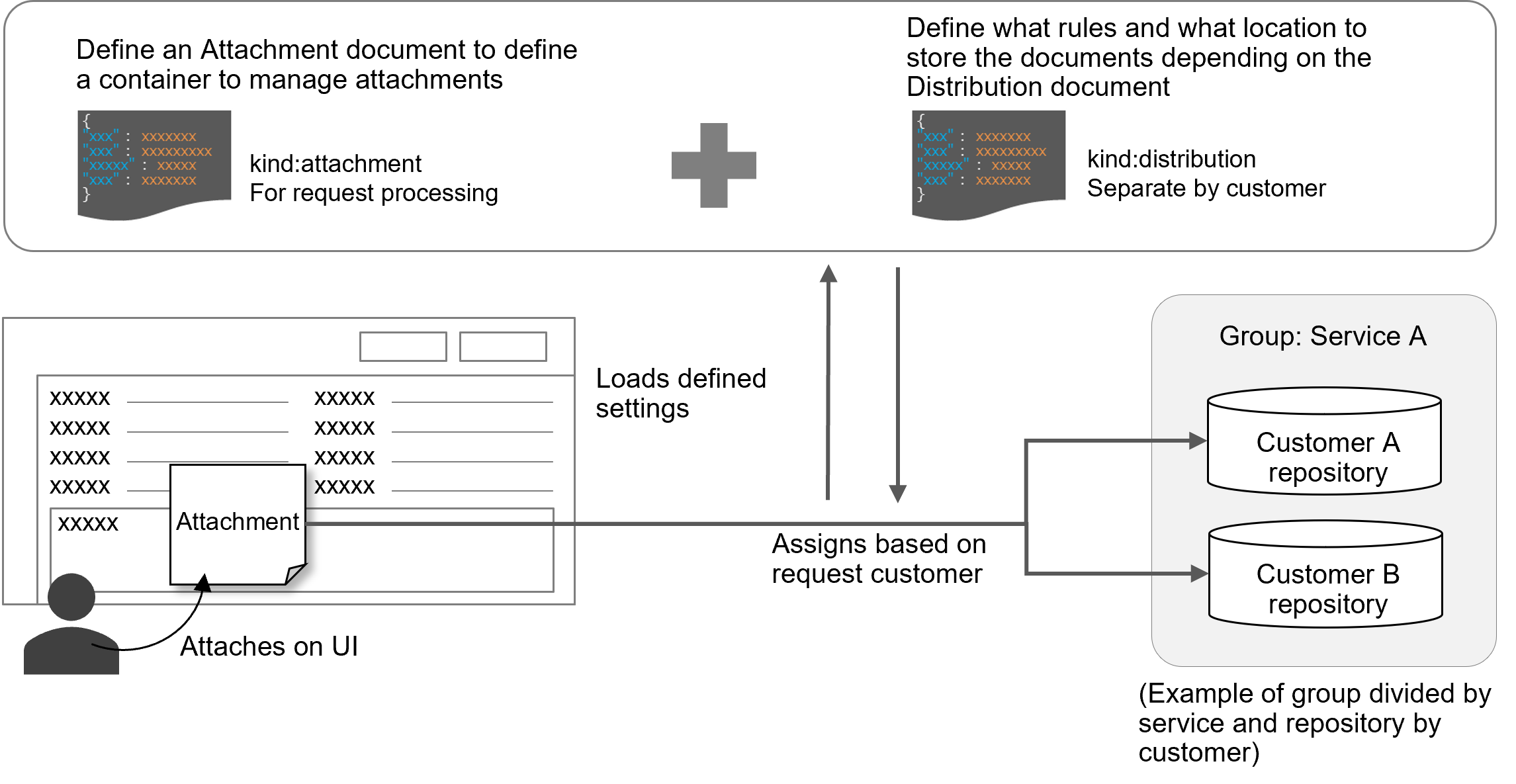
In Ops I, create containers for storing evidence based on rules using Attachment definitions.
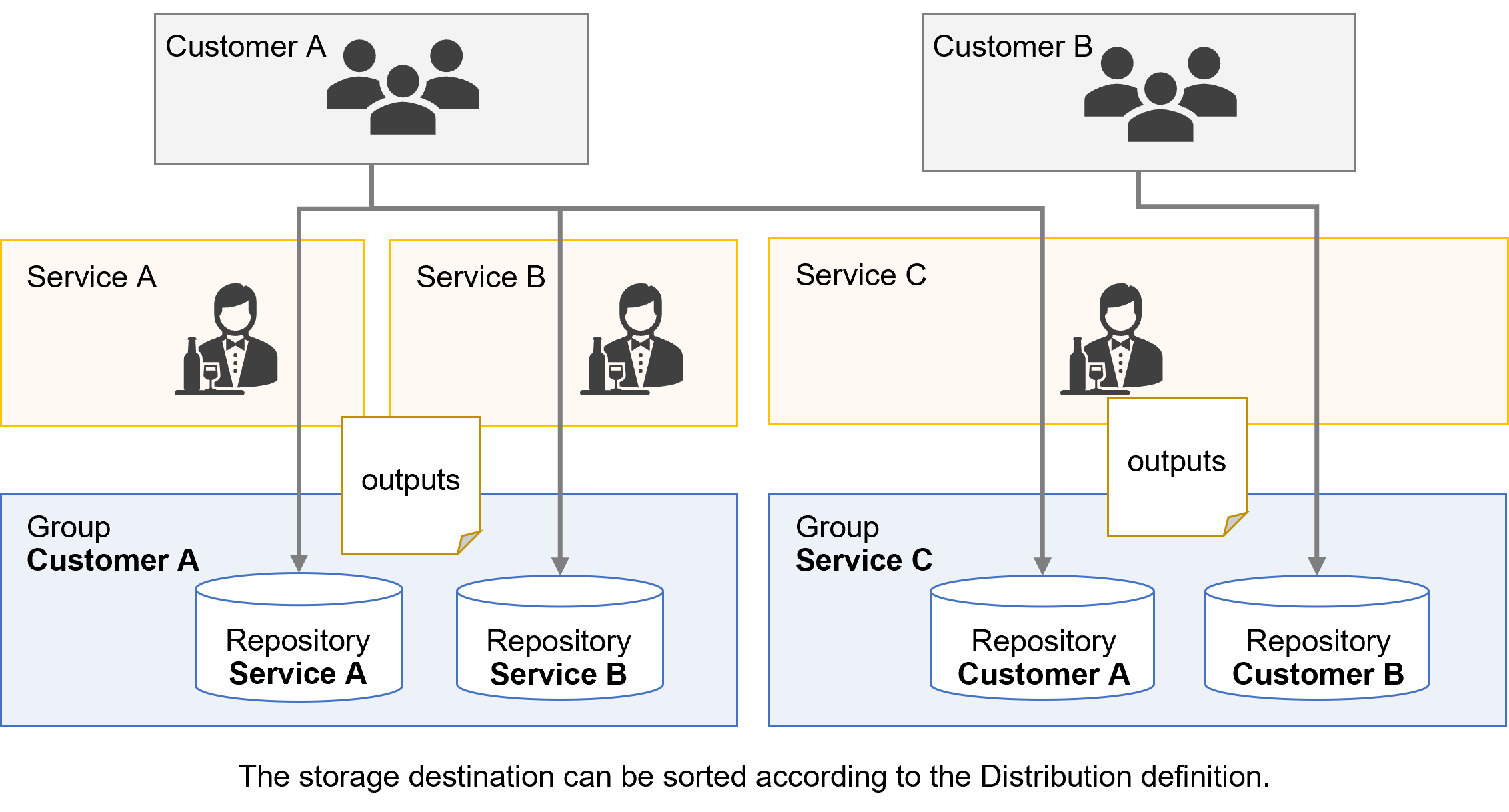
Then, it is possible to distribute repositories for each customer or service using Distribution rules.
For details on containers, see “Container”.
[Attachment]
For Attachment, you define naming rules for containers, folders, etc.
You can enter time stamps and identifiers.
Use YAML definitions to specify time zones.
Note that the timestamp of workflow execution is in the time zone selected when the user who executed the workflow was set up, which may be different from the time zone of the folder name.
It is recommended to specify a time zone at the time of user setup. For information on Attachment YAML definitions, see “Attachment”.
(Figure) Attachment/Distribution conceptual diagram
[Distribution]
For Distribution, you define distribution destinations, repositories, and groups.
(Figure) Distribution conceptual diagram
For details on Attachment and Distribution YAML definitions, see “Attachment” and “Distribution”.
Notes
- Once registered, do not delete distribution rules. When creating multiple distribution rules, register them as separate files.
- When a non-customer user attaches a file to a workflow, distribution rules for which “customer” is set for “type” for the groups that documents are distributed to in the Distribution YAML definition will not be applied.
(Table) Document management design items and outline
| Item | Definition method | Key design points |
|---|---|---|
| ・Attachment ・Distribution |
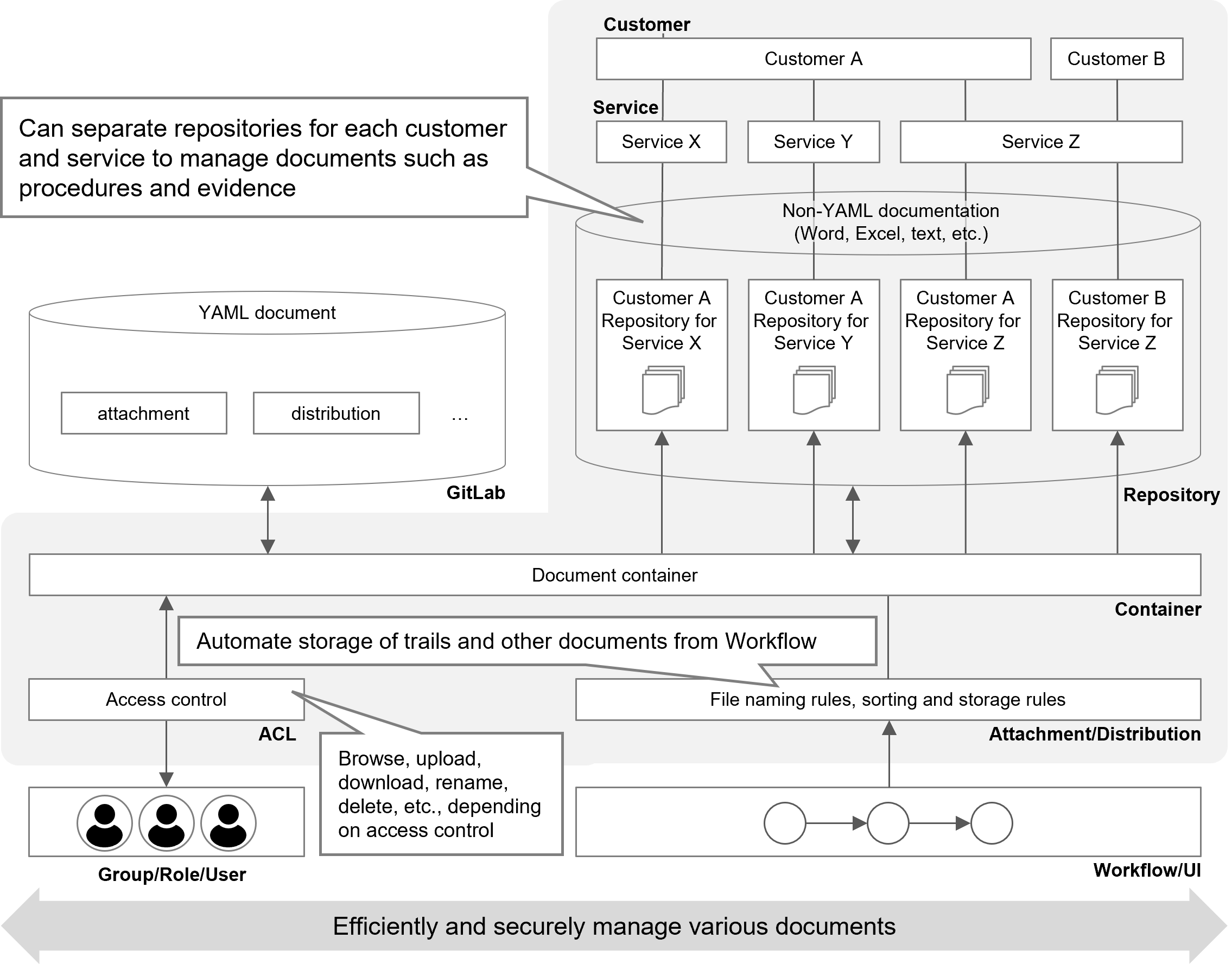
YAML file | Taking into account the services for the customers, consider the repository configuration for managing documents, the extent to which to allow each group to view, file naming rules for trails and other evidence, and distribution and storage rules. |
For the concepts of repositories and groups, see “Documents”.
(Figure) Document management methods conceptual diagram
The following table lists the design items for document containers, using VM lending as an example. Using Distribution, define the directory paths such as “vm/create/” or “vm/delete/” to which documents are distributed in GitLab. For example, in the case of execution logs at the time of VM creation, store the evidence under “/vm/create/log”.
(Table) Document container design using VM lending as an example
| Repository | File | Related workflow | Distribution path (destination/container name/folder name) | |||
|---|---|---|---|---|---|---|
| Classification | Workflow/step | Distribution destination | Container name | Folder name | ||
| Service-common | ||||||
| Checklist template for VM creation | UI (View) | 2(1) VM lending - VM creation confirmation | /vm/create/ | template | - | |
| Checklist template for VM deletion | UI (View) | 2(2) VM deletion - VM deletion confirmation | /vm/delete/ | template | - | |
| Order management system | ||||||
| Completed checklist for VM creation | UI (Storage) | 2(1) VM lending - VM creation confirmation | /vm/create/ | checklist | Execution date/time | |
| Completed checklist for VM deletion | UI (Storage) | 2(2) VM deletion - VM deletion confirmation | /vm/delete/ | checklist | Execution date/time | |
| Customer management system | ||||||
| : | : | : | : | : | : | |
| Production management system | ||||||
| : | : | : | : | : | : | |