1.2 Ops I features
Feature 1: Unified operation windows that reduce learning costs for operational tasks
In many cases, operation infrastructures are built by combining different tools such as management and automation tools for service catalogs, workflows, and documents. This is not efficient because of the different operation windows and the number of transitions and steps between the operation windows. Using Ops I, operation windows can be standardized and learning costs for operational tasks can be reduced.
Feature 2: Ansible-compatible automation platform that allows reuse of existing content
Ops I’s automation infrastructure is compatible with Ansible, a well-known Infrastructure as Code tool, allowing any existing Playbooks to be reused. Reuse of existing content allows you to reduce operational costs, facilitate automation, and integrate more business systems.
Feature 3: Ease to view workflow execution history
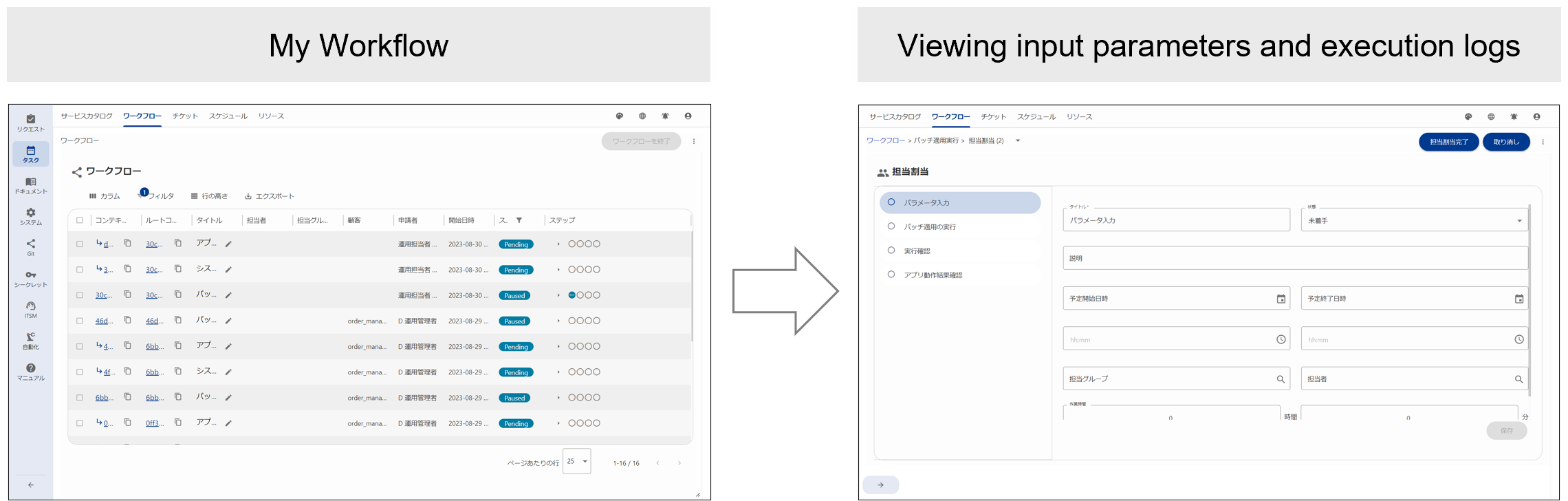
Sometimes, you may need to check input parameters and execution logs after operational tasks are executed. In such cases, you can select an appropriate task from the list of workflows in Ops I to easily view the input parameters used for the execution of the task along with the execution log. Ops I prevents execution history data from scattering.
(Figure) Viewing workflow execution history
Feature 4: Appropriate task assignment based on agents' skills and schedules
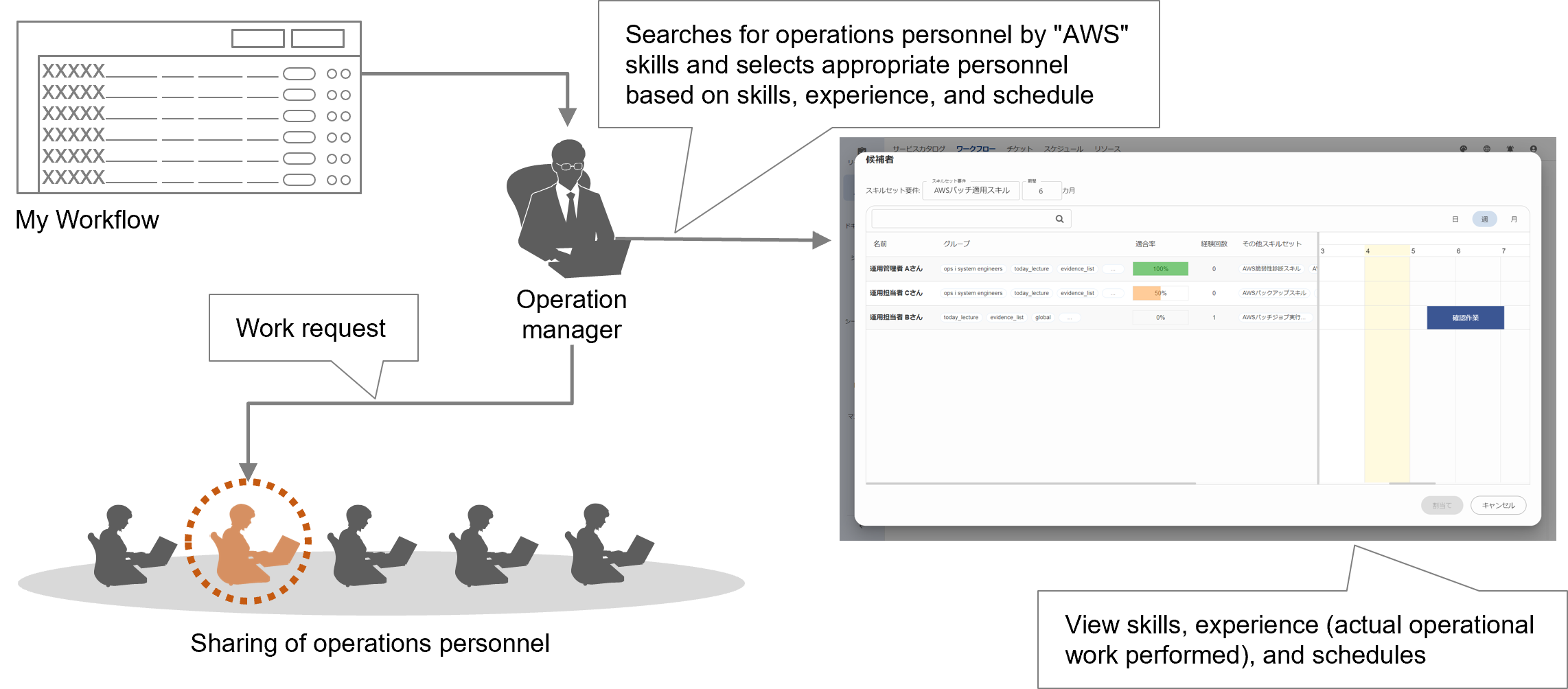
Ops I quantitatively visualizes agents’ levels of experience based on skills required for system operation (including certifications) and their operational experience. It also visualizes the schedule of each agent. These visualizations allow you to assign tasks to appropriate agents. For example, when a task arises that requires specific cloud or application skills, Ops I allows you to easily identify agents who have those skills and check their schedules, allowing for rapid assignment of right agents to the task.
(Figure) Illustration of appropriate task assignment