4.3.10.2 Ops I Menu
The [OpsI Menu] plugin is provided to combine the [Manage Account] and [Log Out] menus, required for any site. This allows for easy implementation of [Manage Account] and [Log Out] menus to each site.
[Ops I Menu] is the menu implemented by default in the [Lightning] theme, and is also implemented in the main site and template site.
For how to log out or change your password outside of the [Lightning] theme, see “Log out from Ops I” and “Changing Ops I password”.
[Ops I Menu] will appear in the upper right corner of each page of a site created using the [Lightning] theme. The left icon is the notification icon, and the right is the avatar icon.
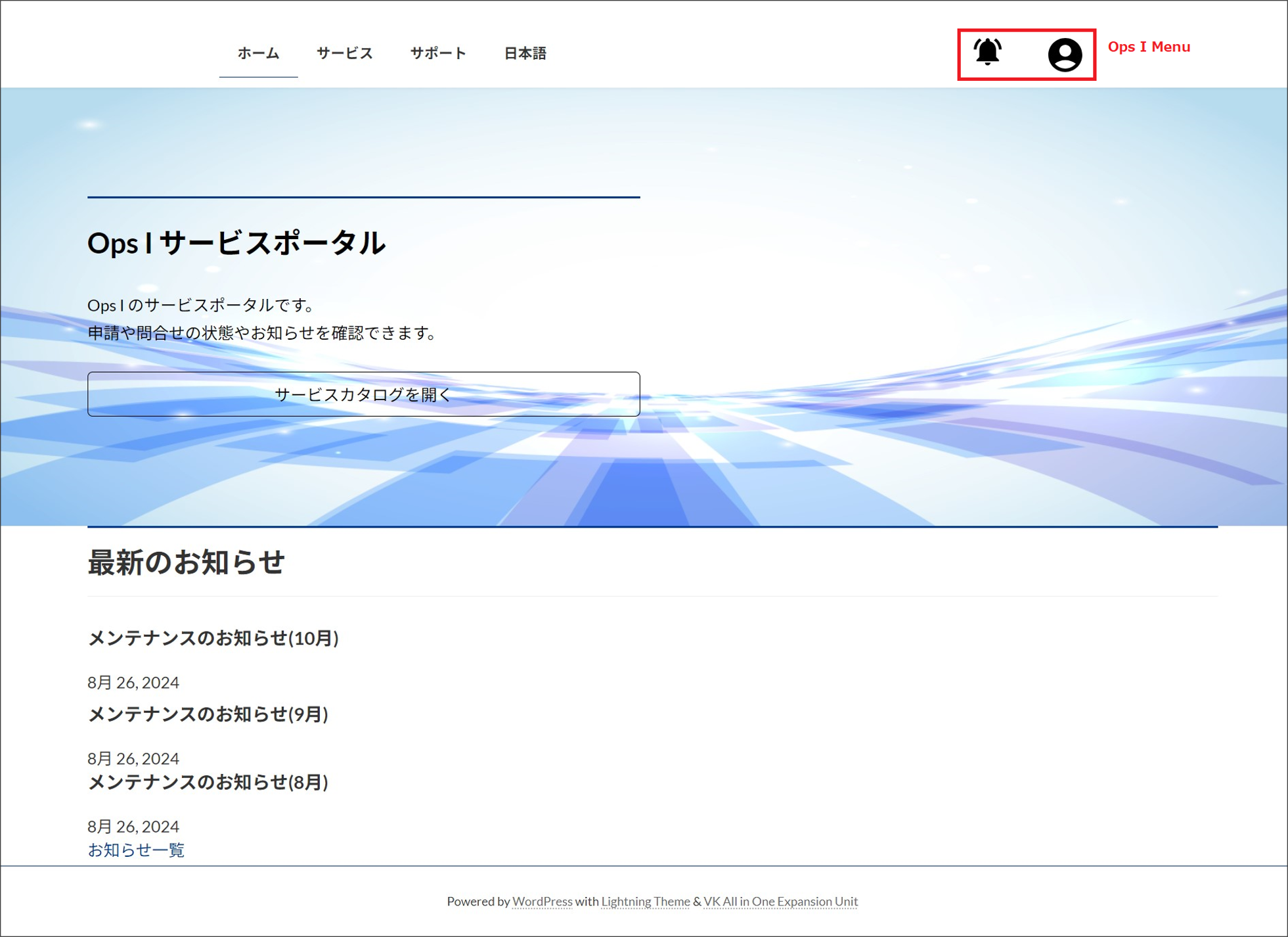
Mousing over the avatar will bring up the [User Name], [Manage Account], and [Log Out] menus.
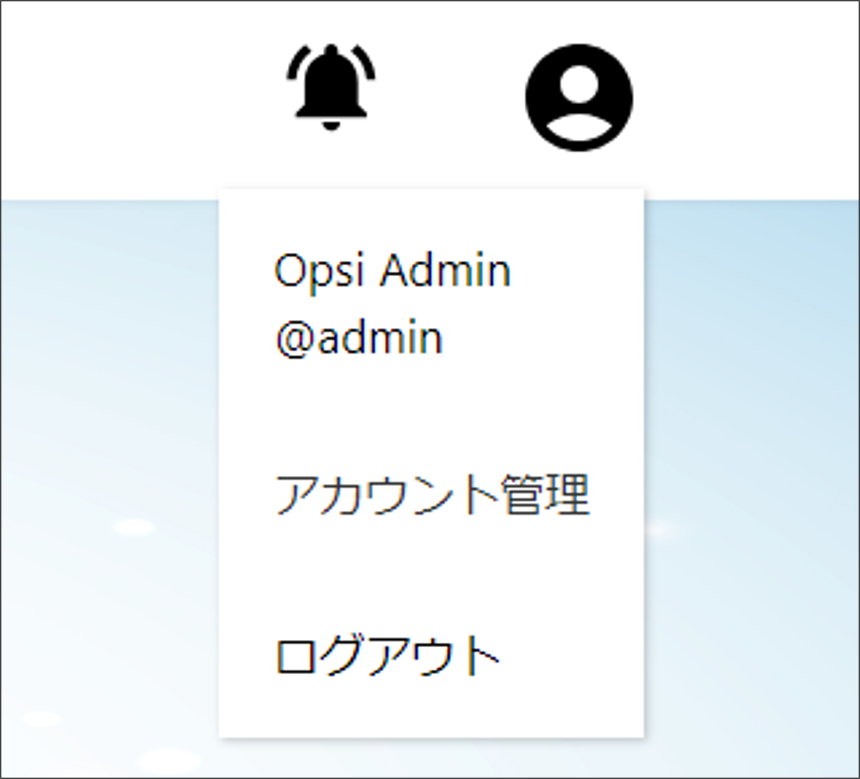
| Menu | Description |
|---|---|
| User Name | The user name is displayed in the format "last name(lastName) first name(firstName)@User Name".
* For the display format when the language is switched to English, see "Multilingual support for sites".
|
| Manage Account | You can change the Ops I password and notification language. For details on changing the password, see "Changing Ops I password". For details on notification language, see "Notifications". |
| Log out | Logs out from Ops I. For details, see "Log out from Ops I". |
For details of notifications, see “Notifications”.
 Notes
Notes
[Ops I Menu] cannot be used except for the [Lightning] theme.