3.6.1 Register a secret
As a prerequisite setting for executing the workflow, it is necessary to register the secret of the environment that is linked to Vault. Playbook is registered in Git, so linking with Git is required. The operation method is as follows, with linking to Git used as an example. Configure other environments that must be linked in the same way.
(1) Creating a secrets engine
The Secrets Engine name created at this time will be used when registering authentication information for automation. For details on automation, see “Registering authentication information”.
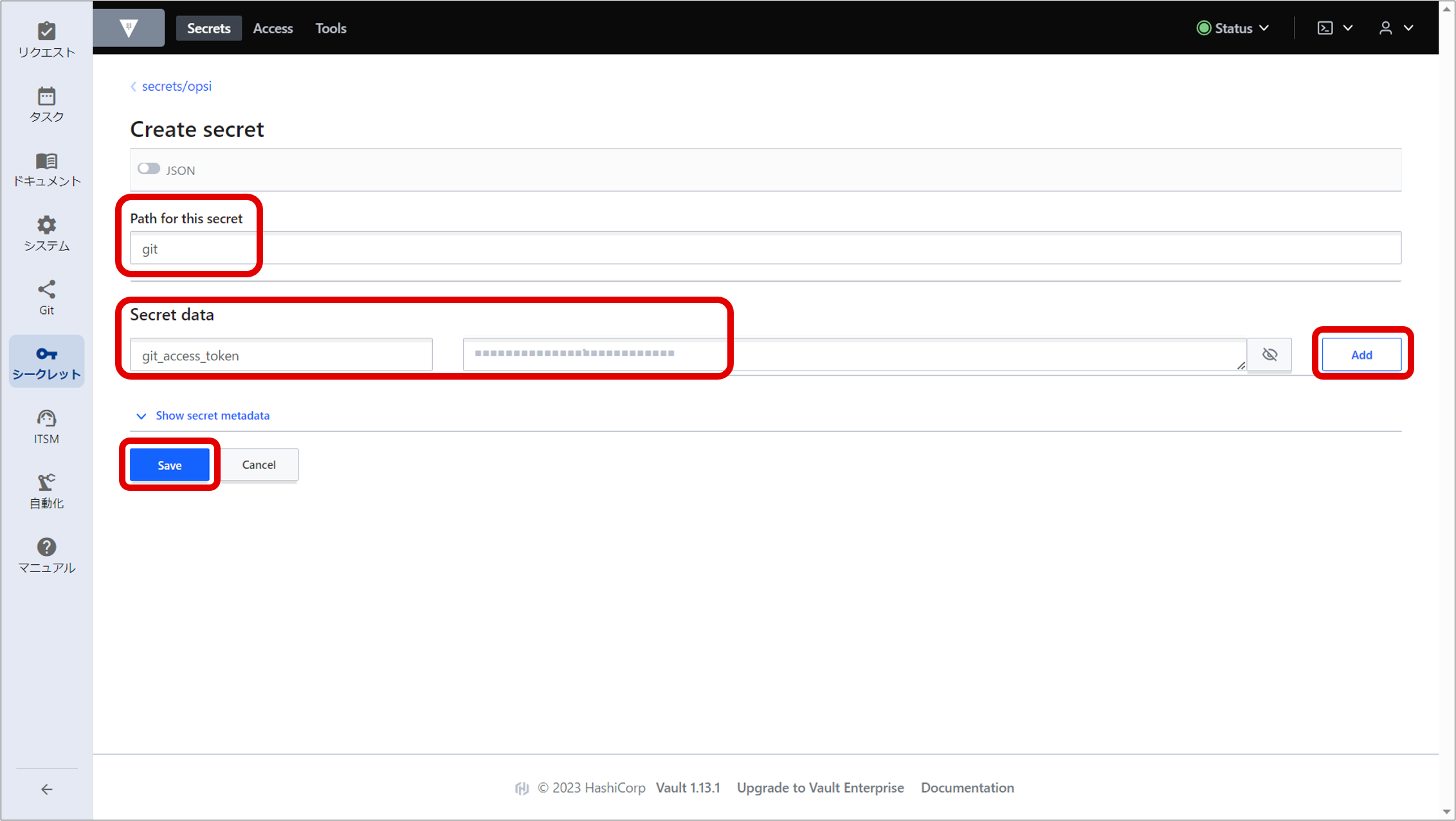
(2) Creating a secret
For how to obtain a GitLab access token, see "Obtaining GitLab access tokens".
The path and key name set at this time will be used when registering authentication information for automation. For details on automation, see “Registering authentication information”.
(Figure) Secret information registration window
(3) Obtaining authentication information for accessing the Secret from Automation
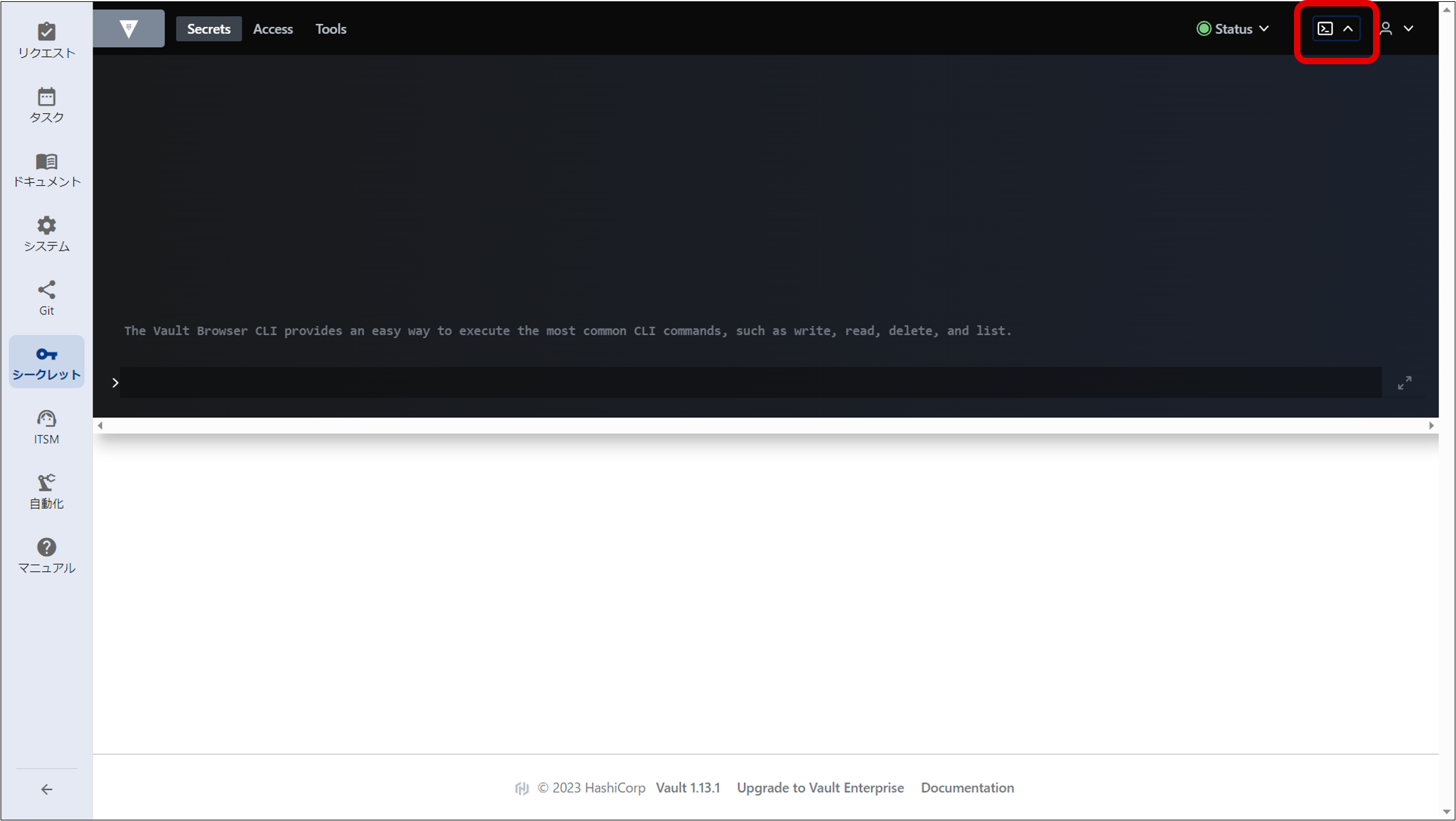
Execute the following command from the command input window in the figure below to obtain the Role ID and Secret ID for AppRole. Please take a memo of this information, as it will be used to configure “Automation”. The ID obtained at this time will be used when registering authentication information for automation. For details on automation, see “Registering authentication information”.
Role ID for AppRole
vault read -field=role_id auth/approle/role/automation/role-id
Secret ID for AppRole
vault write -force -field=secret_id auth/approle/role/automation/secret-id