5.1 Checking license usage
Ops I must be used within the number of licenses you have with regard to the number of users and executions of operational scenarios. For appropriate operation, regularly check if the number of users and executions of operational scenarios is within the number of licenses you have.
(1) Checking the number of users
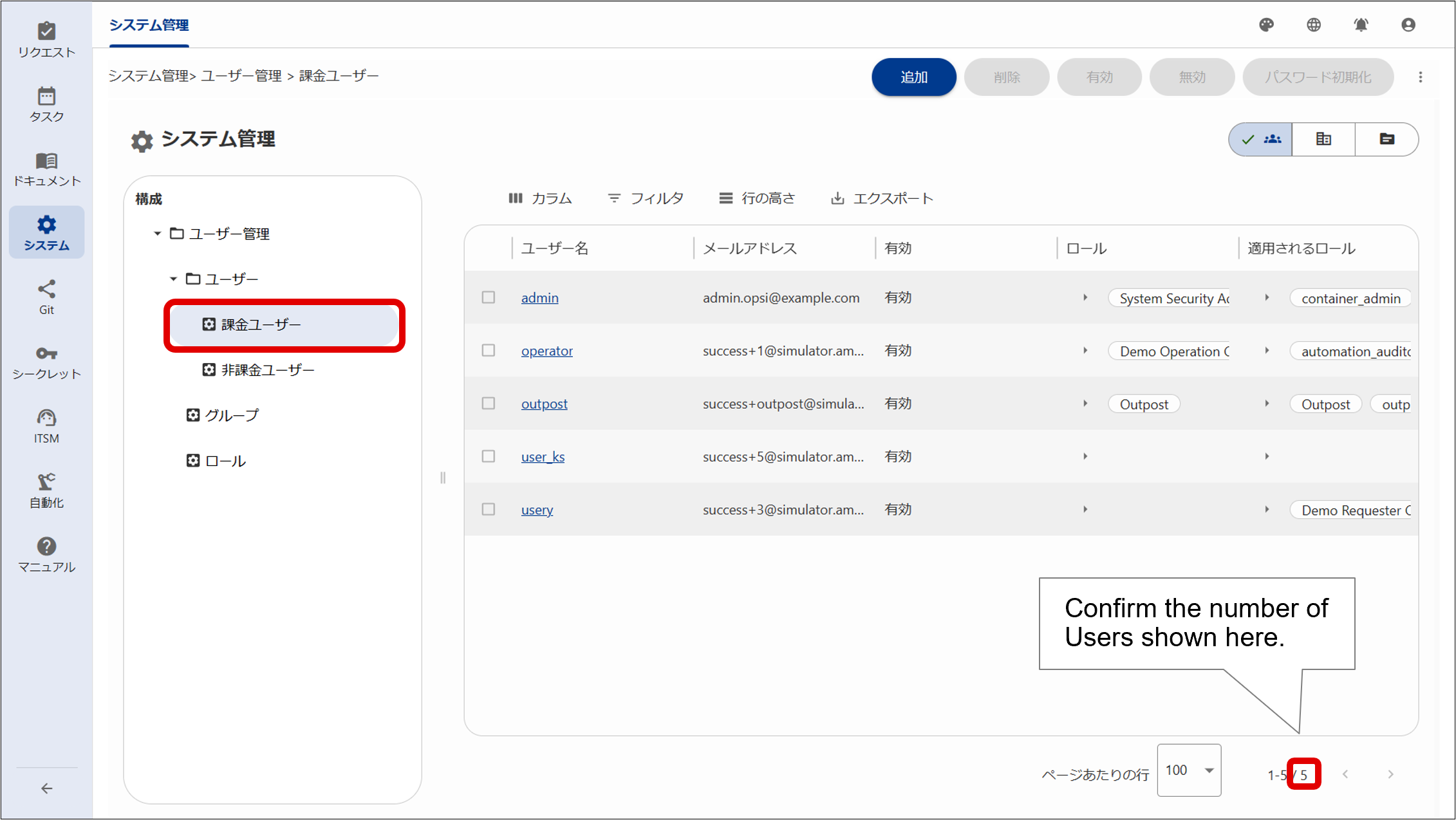
The number of users requiring a license can be checked based on the number of users displayed on the User Management window in System Management.
Selecting “Users” under “User management” in the navigation area displays “Billing users”. If you click on “Billing users”, the total number of users who require a license will be displayed in the lower right of the configuration area.
(Figure) Checking the number of users
(2) Checking the number of executions of operational scenarios
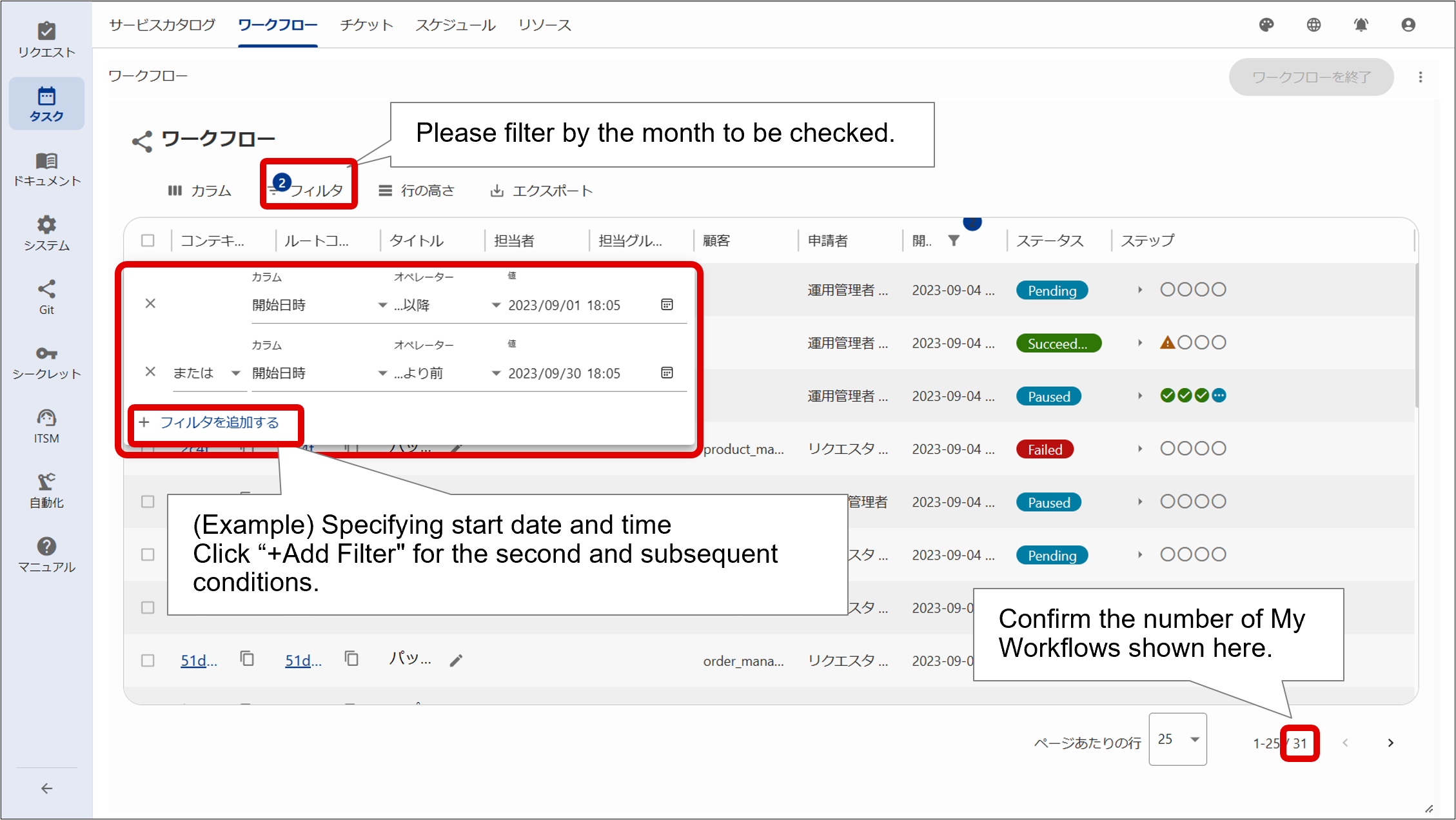
The number of executions of operational scenarios can be seen in the total number of workflows including subflows, displayed in the workflow window of the task.
The number in the red box at the bottom right of the window example below indicates the number of executions of operational scenarios.
The number of licenses required for executions of operational scenarios equals to the number of executions per month, so check the number by filtering the dates in [Start] by the month you want to check from the [Filter] menu at the top of the workflow window.
Example:
Filter dates by the following two conditions with “AND”.
- Column [Start], operator […or after], and value [2023/03/01 00:00]
- Column [Start], operator […or before], and value [2023/04/01 00:00]
(Figure) Checking the number of executions of operational scenarios