4.5.2 Application
An application is a kind of documents and information about applications can be retrieved from the document table.
Documents here do not refer to attachments used in operational tasks, but rather to YAML files that define workflows, service catalogs, and data models.
Customer-specific applications can be added to the menu area as items (operation icons) in accordance with Ops I operations. From the added items, information retrieved from the document table can be displayed in the content area. It is also possible to specify the order in which applications are displayed in the menu area.
To display applications, define what applications to display in the Application YAML file. For information on YAML definitions for applications, see “Application”.
Next, create the ACL and Statement YAML files, associate applications with YAML files, assign a custom ACL to a custom role created for those users and groups that will see the applications. For details on ACLs and Statements, “Users and ACL” and “ACL, Statement”.
To assign a custom ACL to a custom role, the API must be executed. For details, see “API reference overview” > “Details of API function and execution examples” > “Assigning custom ACLs to roles and removing custom ACLs assigned to roles” > “Assigning ACLs to roles” in “JP1 Cloud Service/Operations Integration API Reference”.
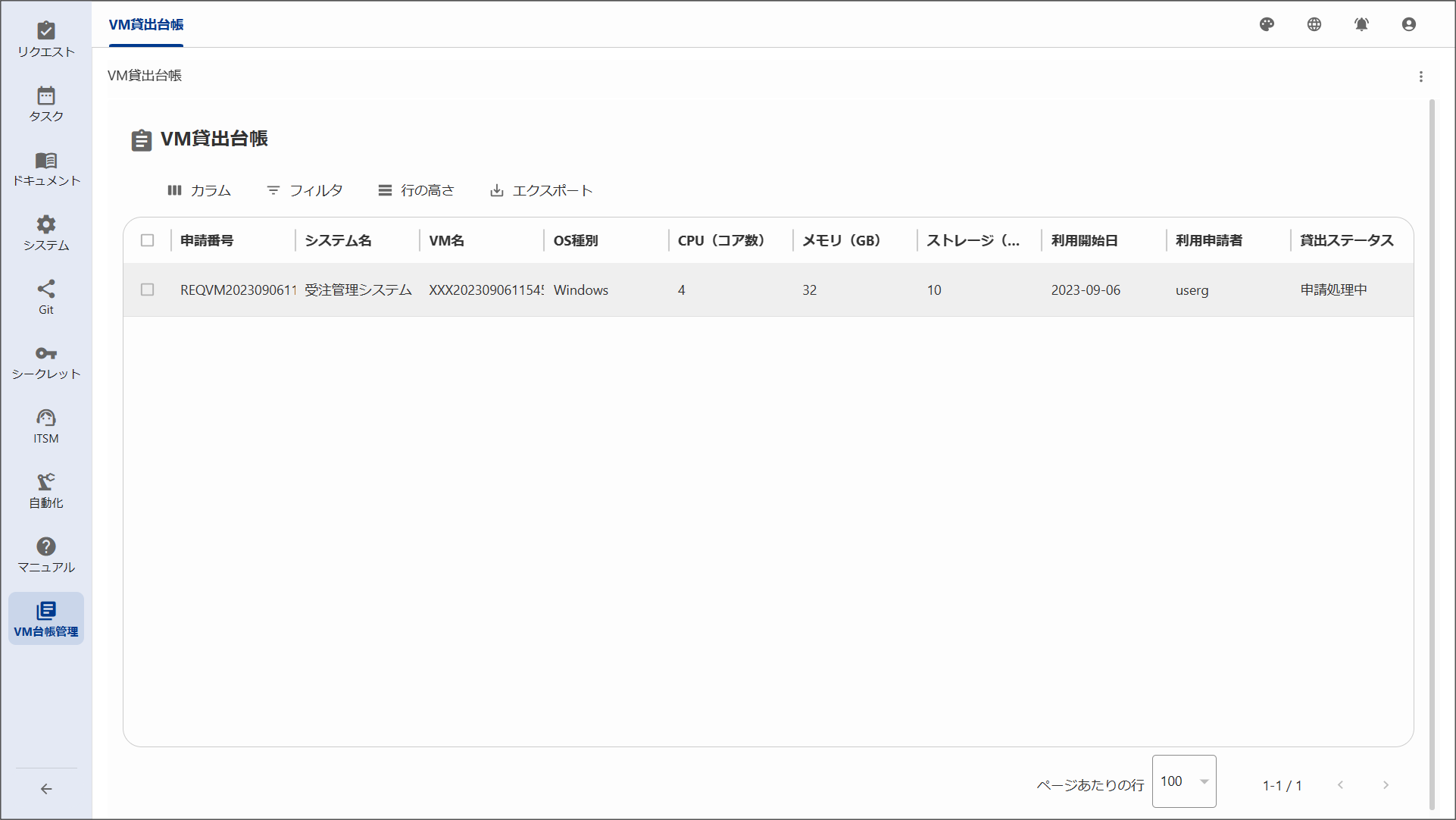
For example, if VM ledger management is frequently used, by defining application names and icons displayed in the menu area, UI elements displayed in the contents area, and related documents in the Application YAML, the items are added to the menu area, and from those items, the VM ledger management list can be displayed in the content area.
(Figure) Example of window with VM ledger management list added to the menu area